When you upload a photo to an AI tool, a copy goes to the company's servers. Depending on your settings it may be used to improve the AI, and in Gemini a small sample can be read by human reviewers. You can switch this off in ChatGPT and Gemini, but the safest habit is to keep children's faces out of tools you do not trust.
A photo of a grandchild blowing out candles is exactly the kind of picture AI tools are good at improving. It is also the kind of picture most of us would never post for strangers to see. This guide explains what actually happens when you upload one, and gives you a short checklist.
What happens to a photo when you upload it
An AI photo tool is not a program that lives only on your phone. The picture is sent over the internet to the company's computers, processed there, and the result is sent back. So the real questions are: how long is a copy kept, and who is allowed to use it?
Two things can happen to it besides editing:
- It can be used to improve the AI. Some services use what you share to train their systems, unless you switch that off.
- A person can read it. Google says that a subset of Gemini chats is reviewed by human reviewers, with the review copies disconnected from your account.
Neither is a secret scheme; both are described in the companies' own help pages. The catch is that the default is usually the more open option, and you have to change it yourself.
There is also a reason to be careful with small, unknown apps. In a well-known US case, the photo storage app Ever used members' photos to build a facial recognition system, and the Federal Trade Commission ordered its developer to delete the photos of closed accounts and the face-recognition models built from them. That app is long gone, but the lesson is lasting: a free photo tool is still a company, and its policy tells you what it does with your pictures.
Decide whether this photo should be uploaded at all
Ask three quick questions before you tap upload:
- Would I post this publicly? If not, treat it with the same caution.
- Whose faces are in it? Your own face is your choice. Children, and other people's children in particular, are not yours to decide for. A class photo or a birthday party full of other families' kids is better left out.
- Does the edit need the face? Removing a power line from a landscape does not. If the edit does not need the face, crop it out or choose a different picture.
Also check the background: house numbers, a school uniform with a school name, a car number plate.
ChatGPT: turn off training on your photos
On the ChatGPT website, open your account menu, choose Settings, then Data controls. Switch off Improve the model for everyone. OpenAI says that when this is off, your new conversations will not be used to train its models. A photo you attach is part of that conversation.
Three things to know:
- It only covers new conversations. Pictures you sent earlier stay in your chat history until you delete those chats.
- Feedback is an exception. If you tap thumbs up or thumbs down on an answer, OpenAI says the whole conversation connected to that feedback may be used for training.
- Temporary Chat is an extra layer. A Temporary Chat does not appear in your history and is not used to improve the models, but OpenAI may keep a copy for up to 30 days for safety reasons.
Free, Plus and Pro accounts have this switch. Work or school accounts follow their organisation's rules.
Gemini: check Keep Activity
Google's setting is called Keep Activity (it used to be named Gemini Apps Activity). You can turn it off or delete your activity from Gemini's Activity page, which Google's help page links to.
What Google's help page says:
- With Keep Activity on, what you share with Gemini, including photos, is saved to your activity, and Google uses it to provide, develop and improve its services, including training AI models. If you share a photo from a gallery app, it is used to improve Google services with the help of human reviewers.
- With it off, future chats are not added to your activity or used to train models, unless you send feedback. Google still keeps them for 72 hours.
- Chats that human reviewers have already seen are not deleted when you delete your activity. They are kept for up to three years.
- Your activity is deleted automatically after 18 months unless you change that to 3 or 36 months, or to never.
- Temporary chats are not used to train Google's models or reviewed by people to improve them. In general, Google asks you not to type anything confidential that you would not want a reviewer to see.
Deleting your Gemini activity does not remove data stored in other Google services.
Photo-editing and restoration apps: read two things
A switch in ChatGPT does nothing for another company's app. Before you upload family pictures to a restoration, filter or avatar app, find two things in its privacy policy or help page:
- Does it keep your photos, and for how long? Look for a clear statement that images are deleted after processing, or a delete button that works.
- Does it use your photos to train its AI or to build face-recognition features? A sentence such as "we may use your content to improve our services" is a yellow flag.
If you cannot find the answers in a couple of minutes, pick another tool. Our guides to restoring old photos with AI and the best AI photo editors cover the options, and viral AI photo trends explains why "just upload a selfie" challenges deserve extra thought.
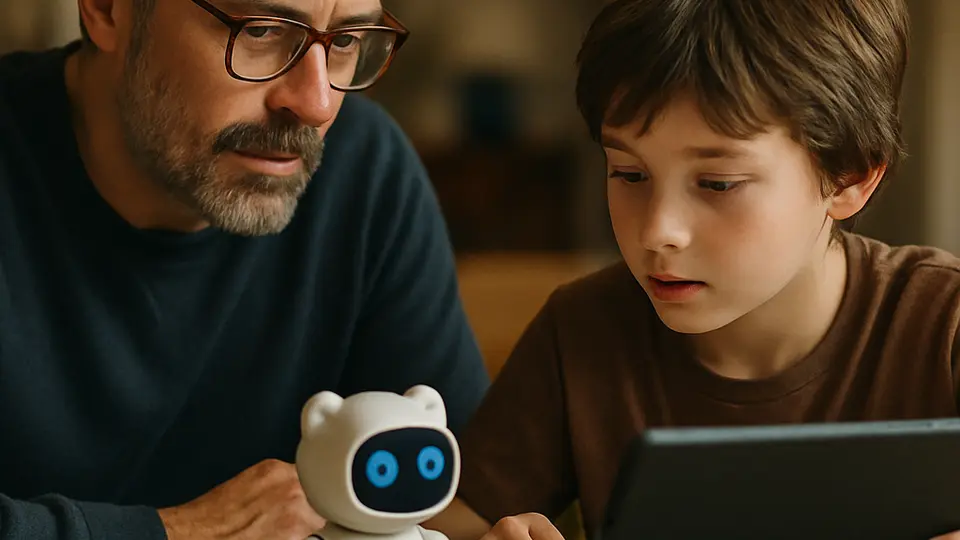
Keep children's faces out of it
You cannot make a photo of a child private once it has left your phone, so the best protection is a habit:
- Use pictures where the child is turned away or the face is small, when the edit allows it.
- Never upload other families' children without asking their parents first.
- Do not feed a child's photo to a "make me a cartoon" or "what will they look like" app.
- Explain to older grandchildren that they should ask before uploading their friends' pictures too.
For children's data in other gadgets, see AI toys and kids' privacy and parental controls in AI apps.
Clean up what is already there
Open your ChatGPT history and Gemini activity, and delete the conversations that contain family pictures you no longer need there. Deleting does not undo training that already took place, which is why the switches above come first. For the wider picture, including how to ask companies to delete your data, read how to opt out of AI training and delete your data and the ChatGPT privacy settings walkthrough.
Sources
- Data Controls FAQ — OpenAI Help Center
- Temporary Chat FAQ — OpenAI Help Center
- Gemini Apps Privacy Hub — Google Gemini Help
- Everalbum Finalizes FTC Settlement, Will Delete Facial-Recognition Algorithms — MediaPost
- FTC Settles with Everalbum Over Misuse of Facial Recognition Technology — JD Supra